


EveryParent
4.430.00 Reviews
App Specs
- Version
- 15.0.0.0-prod
- Updated On
- License
- Free
- Downloads
- 10,000+
- Developer
- Children's Services Council of Palm Beach County
- Categories
- Parenting
- Platform
- Android
Screenshots


 Analysis by AppCompare
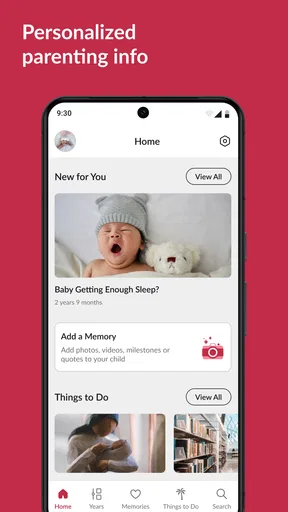
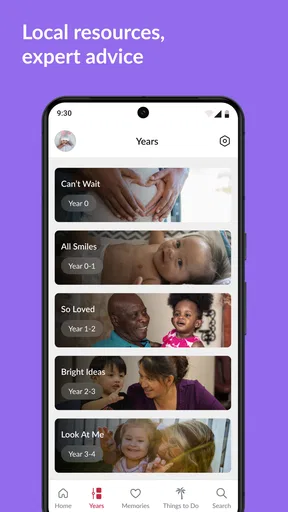
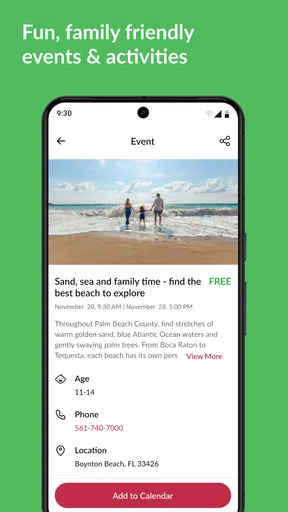
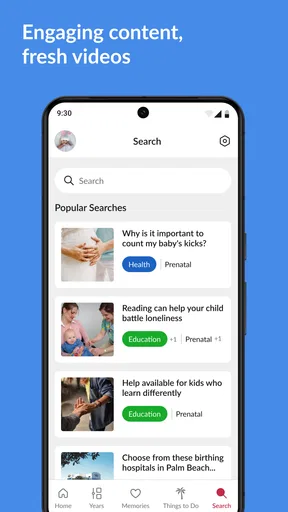
Parenting advice is easy to find in general, but local help is much harder to organize. That is where EveryParent makes sense to me. It is a free parenting app built for families in Palm Beach County, Florida, by the Children's Services Council of Palm Beach County. Rather than trying to be a universal parenting encyclopedia, it focuses on helping local families discover information and resources that fit their area.
I found the most useful way to think about it is as a local starting point. When I need ideas for family activities, support, or practical information nearby, a broad web search can produce a messy mix of outdated pages, national advice, and results from places I cannot use. A county-focused app has a narrower job, and that narrow focus is its main advantage. It is aimed at parents and caregivers who want Palm Beach County information in one place, not at someone looking for a general child-development course.
The app sits in the parenting category and is free to use. Its Everyone age rating also makes it approachable for households where more than one adult may need to check local information. With an average rating of 4.4 from around 99 ratings and over 10 thousand installs, it has found a modest but meaningful audience. I would not treat those figures as a guarantee that every family will have the same experience, but they do suggest that the concept is useful to people who need a local family resource.
How local information changes the experience
I find that local context changes what I expect from a parenting app: the useful question is not just what advice exists, but which information can help a family act nearby. That makes it worth approaching EveryParent with a specific need in mind rather than browsing aimlessly. The next section looks at how that choice shapes a practical first search.
A county-focused alternative to ordinary searching
The biggest difference between EveryParent and a normal search engine is the starting point. A search engine asks you to build the answer yourself from scattered results. This app is designed around the needs of Palm Beach County families, so the local context is already part of the experience. That saves time when the question is not “what do parents generally do?” but “what can my family find or use here?”
That distinction matters during ordinary parenting moments. A caregiver may be trying to find something suitable for a child after school, understand what family support is available, or locate information that applies to the county rather than another state. In those situations, a local resource can be more practical than a polished national parenting site. I would open EveryParent before searching broadly when location is the key part of the question.
At the same time, I would not replace a pediatrician, school counselor, emergency service, or official agency with an app. Its value is in helping me discover and orient myself toward local information. For urgent or highly personal matters, I would use the appropriate professional channel first and treat the app as a supplementary guide.
Worth Reading Before You Choose

EA SPORTS FC Mobile 26 Is a Bigger Football Game, but It Takes Time

Flipboard Shows What News Apps Must Do Beyond the Feed

Switching to Android Auto Means Rethinking Your Driving Routine

Google Calendar Makes a Crowded Week Easier to Manage

Ludo King Makes the Most of the Minutes Between Plans

Baby Panda World Brings Quick Play to Modern Phones, but Its Game Library Feels Busy
What happens when the connection is good
Connectivity shapes this app more than it might at first appear. A local information service is most useful when it can bring current pages, listings, or resource details to the screen at the moment I need them. On a reliable home connection, the experience is naturally easier: I can browse calmly, compare options, and follow up without feeling rushed.
A realistic example would be a Saturday morning when plans change because of rain. I might open the app while the family is still at home, look for something relevant to Palm Beach County, and decide what to do before packing everyone into the car. That workflow is better than searching after arriving somewhere, because I have time to check the details and make a backup plan.
Another useful moment is preparing for a conversation with a school or community organization. I can use the app to get familiar with local resources before making a call. Even when it does not answer every question directly, it can help me use more precise language and know which kind of organization I should contact next.
The app works best as a first stop for local discovery, not as a complete replacement for every service a family may need. That expectation keeps the experience realistic. Its strength is reducing the distance between a parent and relevant county information; its weakness is that the usefulness of any resource app depends on the freshness, clarity, and availability of the information it presents.
Using it while moving through the day
Mobile parenting rarely happens at a desk. I may be holding a child’s bag, waiting in a parking lot, sitting outside an appointment, or trying to make a decision between errands. A phone-based local guide is valuable in those short gaps because it can turn spare minutes into planning time. EveryParent is better suited to those quick checks than a long article that requires extensive searching.
I would use it in two stages. First, I would browse when I have a stable connection and enough attention to understand what I am seeing. Then I would write down or remember the practical next step before leaving that screen. That might mean noting a name, saving a phone number outside the app if the operating system allows it, or taking a screenshot for personal reference. I would not assume that every detail will remain available once I am in a weak-signal area.
This is an important trade-off. A mobile app feels convenient because it is always close, but convenience does not automatically mean it is independent of network access. If I am already driving, I would not browse while moving. A passenger can check information, or I can pull over. For family planning, saving a little time is helpful; creating a distraction behind the wheel is not.
The app is also a reasonable fit for co-parenting or shared caregiving situations when one adult discovers a local option and needs to pass it along. I would send the essential details through the family’s usual messaging method rather than assume another person will open the same app immediately. That small habit makes the information more portable and reduces confusion when plans are being made by several adults.
Weak signals, interruptions, and recovery
Connectivity problems are especially frustrating when I am already trying to manage children. A page that takes too long to appear, a search that stops halfway, or an interrupted session can turn a simple lookup into another task. I would therefore avoid making the app the only source of a time-sensitive plan. Before leaving home, I would check the information I need and keep the important part available in a separate note.
If the app does not load properly, my first recovery step would be simple: move to a stronger connection, close and reopen it, and try again without repeatedly tapping the same control. If the problem continues, I would switch to the relevant official contact method or a normal browser search rather than losing time. This is not a criticism unique to EveryParent; it is a sensible routine for any service that delivers local information through a live mobile connection.
Recovery is easier when I know what I was trying to find. Instead of opening the app with a vague goal such as “find something for the kids,” I would define the need first: an activity, a family service, a support resource, or general local information. A specific goal makes it easier to retry the search and recognize whether I have reached a useful result.
I also prefer checking local information earlier than the last possible minute. If a resource is important for the next morning, I would look it up the evening before. That gives me time to deal with a weak connection, clarify a detail, or find another route. The app can shorten discovery, but it cannot remove the practical risk of last-minute planning.
Making sensible use of mobile data
Families often share limited mobile data, and parenting apps should fit into that reality. I would browse EveryParent mainly on Wi-Fi when I am researching several possibilities or reading through multiple resources. On cellular data, I would use it for a targeted lookup rather than leaving pages open while making unrelated decisions.
A useful habit is to decide what information is actually needed before opening the app. If I only need one local resource, I can search with that purpose in mind, read the relevant details, and stop. If I am planning a full week of activities, Wi-Fi is the better setting because I can take the time to compare options without worrying about unnecessary mobile usage.
I would also avoid assuming that a screenshot or copied note will include every update. A saved image can preserve a phone number or address for convenience, but it may not reflect later changes. For anything important, I would verify the details again when I have a connection. This is one of the less obvious trade-offs of using a local information app: convenience encourages saving, while local resources can change and deserve a fresh check.
Privacy-minded parents may also prefer to keep their use focused. I would search for the resource I need without entering sensitive family details unless the app clearly requires them for a particular task. General local discovery usually does not need a detailed personal story. Keeping searches practical is a good way to reduce oversharing while still getting value from the service.
Who will benefit most from it
EveryParent is a strong match for Palm Beach County parents, guardians, grandparents, and other caregivers who are new to the area or tired of piecing together local information from unrelated websites. It is particularly useful for someone who wants a starting point rather than a long list of national parenting opinions. Families who regularly look for county-specific activities and support may get more value from it than people who only need broad advice.
It can also help someone who does not yet know the local service landscape. New residents often know what kind of help they want but not which local organization, program, or information source to approach. A county-oriented app can reduce that initial uncertainty. I would still verify practical details before committing to a visit or appointment, but the discovery step is where this app earns its place.
Caregivers outside Palm Beach County should probably skip it unless they have a direct reason to find information about that county. The local focus that makes it useful there also limits its value elsewhere. Likewise, parents looking for detailed medical guidance, a full child-development curriculum, or a broad social community will likely be happier with a specialized alternative.
Everyday strengths and real friction
The clearest strength is relevance. Local parenting information is often more actionable than general advice, and the app’s purpose is centered on that local connection. The free price removes a common barrier, so I can try it without committing to a subscription. The developer’s public-service orientation also gives the app a different feel from a commercial parenting platform built mainly around advertising, shopping, or social engagement.
The main limitation is scope. A local resource guide cannot answer every parenting question, and its usefulness depends on whether the information matches my immediate need. I may still have to contact an organization, confirm eligibility, check availability, or use another service to finish the task. That extra step is not necessarily a failure, but it means I should judge the app by how well it helps me get oriented, not by whether it completes every process inside the app.
There is also a practical connectivity limitation. I would not plan around uninterrupted access in a basement, crowded venue, rural edge, or moving vehicle. The app is most comfortable when I have enough signal and attention to browse. That makes it less suitable as an emergency reference and more suitable as a planning companion.
The current version is listed as 15.0.0.0-prod, while the app itself dates back to April 27, 2017. I see that long presence as encouraging because the idea has had time to remain available, but I would still keep my expectations grounded. An older release history does not tell me whether every local detail is current, so I would confirm time-sensitive information directly before relying on it.
My connectivity verdict
After looking at how it fits into real mobile routines, I would recommend EveryParent to families in Palm Beach County who want a free, local entry point for parenting information. I would install it before I needed it, browse it on a reliable connection, and use it to build a small mental map of nearby resources. That preparation is more valuable than waiting until a stressful moment and expecting the app to solve everything instantly.
I would not recommend it as the only parenting app on a phone. General parenting guidance, medical questions, school communication, navigation, and urgent support each have better-suited tools. EveryParent earns its place by covering the local discovery gap between those services. When the question is “what family information is relevant here?”, it is a sensible first check.
My final view is positive but practical: EveryParent is most useful when local relevance matters more than breadth. Use Wi-Fi for relaxed browsing, verify details before acting, keep a backup for important plans, and do not depend on it during an emergency or in a poor-signal location. For Palm Beach County caregivers who follow that approach, this free app can make the first step toward finding family resources noticeably easier.
Pros
- Useful age-based guidance for different stages of childhood.
- Helps parents discover local family activities and services.
- Practical articles cover everyday parenting questions.
- Can make it easier to find nearby schools and childcare options.
- Community-focused information supports parents in local areas.
Cons
- Content and listings may vary considerably by location.
- Some features may require account registration or personal details.
- Local information can become outdated if providers change.
- The app may feel less useful outside supported regions.
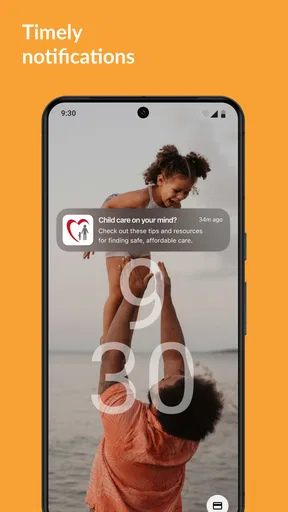
- Frequent notifications could become distracting for some parents.
FAQs for EveryParent
What is EveryParent, and who is it designed for?
EveryParent is a parenting-focused app designed to help families organize information, manage everyday responsibilities, and stay connected around a child’s needs. It may be useful for parents, guardians, and other approved caregivers who want a shared place for updates, schedules, reminders, or family communication. The exact tools available can vary by location, account type, and the version installed on your device.
Is EveryParent free to download and use?
EveryParent may be available to download at no initial cost, but users should check the current Google Play Store or Apple App Store listing for the latest pricing details. Some features, services, or content could require registration, a subscription, or access through a participating organization. Before downloading, review the in-app purchase information, subscription terms, and cancellation policy so there are no surprises.
What information does EveryParent require during registration?
The information required by EveryParent can depend on how the service is provided and which features you want to use. You may be asked for basic account details, contact information, and information needed to connect you with a child, family group, school, or service. Because parenting information can be sensitive, read the privacy policy carefully and only enter details you are comfortable sharing.
Can multiple parents or caregivers use the same EveryParent account or family group?
EveryParent is intended to support communication and coordination, so it may allow more than one authorized parent or caregiver to participate in a shared family space. Invitations, permissions, and visibility settings can determine who may view or add information. We recommend checking each account’s access level before sharing sensitive details, especially when several households, relatives, or professional caregivers are involved.
Is EveryParent suitable for emergencies or professional medical advice?
EveryParent should not be treated as a replacement for emergency services, a doctor, or qualified professional advice. Although the app may help families organize information and communicate about parenting matters, urgent medical, safety, or child-protection concerns require immediate contact with the appropriate emergency or professional service. Always verify important information independently and use the app only within the limits described by its provider.


